Blog · Recipes
Save recipes from TikTok and Instagram, then cook them when they're on sale
You've probably saved dozens of recipes: a TikTok pasta, an Instagram sheet-pan dinner, a YouTube video you swore you'd make this weekend. Then they sit in your saved posts, scattered across apps, and you cook the same five things again. Here's how to get them all in one place, and how to know which ones are cheap to make this week.
🤔 Why saved recipes never get cooked
😩 Saved-posts chaos
- 📱 Split across TikTok, Instagram, YouTube and your camera roll
- 🎥 Ingredients buried in a caption, a comment or the video itself
- 🔁 Rewatching just to write a grocery list
- 💸 No idea what it'll cost this week
😎 Your Grocery Fresh Chef Cookbook
- 📚 Every recipe in one place
- 📝 Ingredients and steps pulled out for you
- 🏷️ See which favorites are on sale this week
- 🛒 One tap from recipe to cart
A recipe that's affordable when salmon is on sale can be expensive the next week, and nothing in your saved posts tells you which is which. Here's how to fix all of that in three steps.
📥 Step 1: Bring every recipe into one cookbook
In Grocery Fresh Chef (our app, full disclosure), your Cookbook already holds every recipe you've cooked from your meal plans. To add your own, tap Import a recipe from a link and paste a link from:
- 🎵 TikTok and ▶️ YouTube videos
- 📸 Instagram and 👍 Facebook posts
- 🌐 Any recipe website or food blog
The app pulls out the ingredients and steps and saves them as a regular recipe, crediting the creator when it can find their name, so you never have to rewatch the video to remember what goes in it.
GFC tip: the import works best when the recipe is written out in the post's caption, description or comments. Instagram and Facebook don't always share the caption through a link, so if a link doesn't work, upload a screenshot of the post instead. You can attach up to four if the recipe runs across several screenshots.
🏷️ Step 2: Find out which favorites are on sale this week
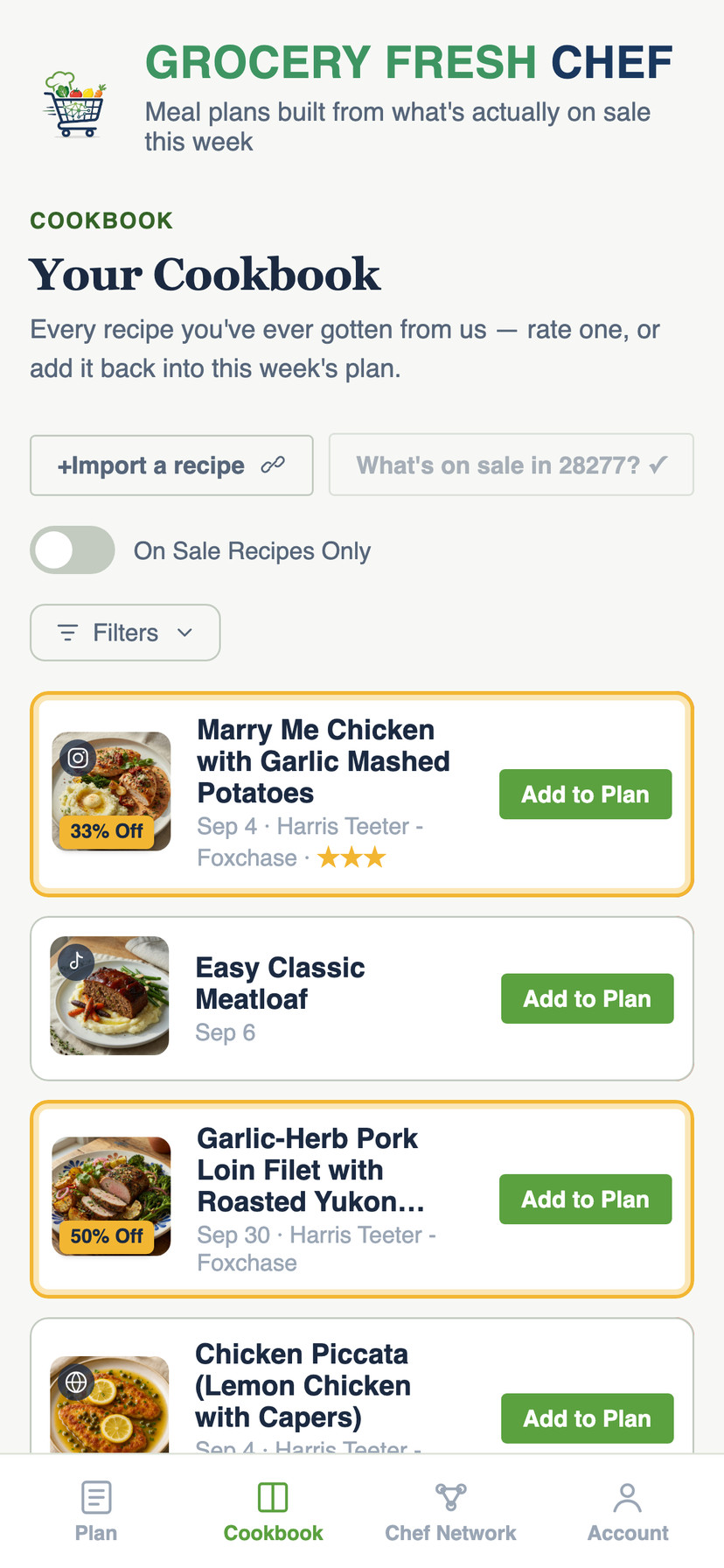
This is the part no saved-posts folder can do. In your Cookbook, subscribers can tap "What's on sale?" and Grocery Fresh Chef checks the main ingredient of every saved recipe, the ones you imported and the ones from past plans, against this week's real sale prices at your own Kroger-family store. Recipes whose main ingredient is on sale get highlighted, so you can see at a glance that salmon is on sale for your favorite salmon recipe this week, or that the chicken for that TikTok dish you saved is cheaper than usual.
🛒 Step 3: Add them to this week's plan, then to your cart
Tap Add to Plan on any saved recipe, and it goes into this week's meal plan. The app re-prices it against current deals and fills any remaining nights with new dinners built from this week's sales. Then you get one grocery list for everything, with real prices from your store.
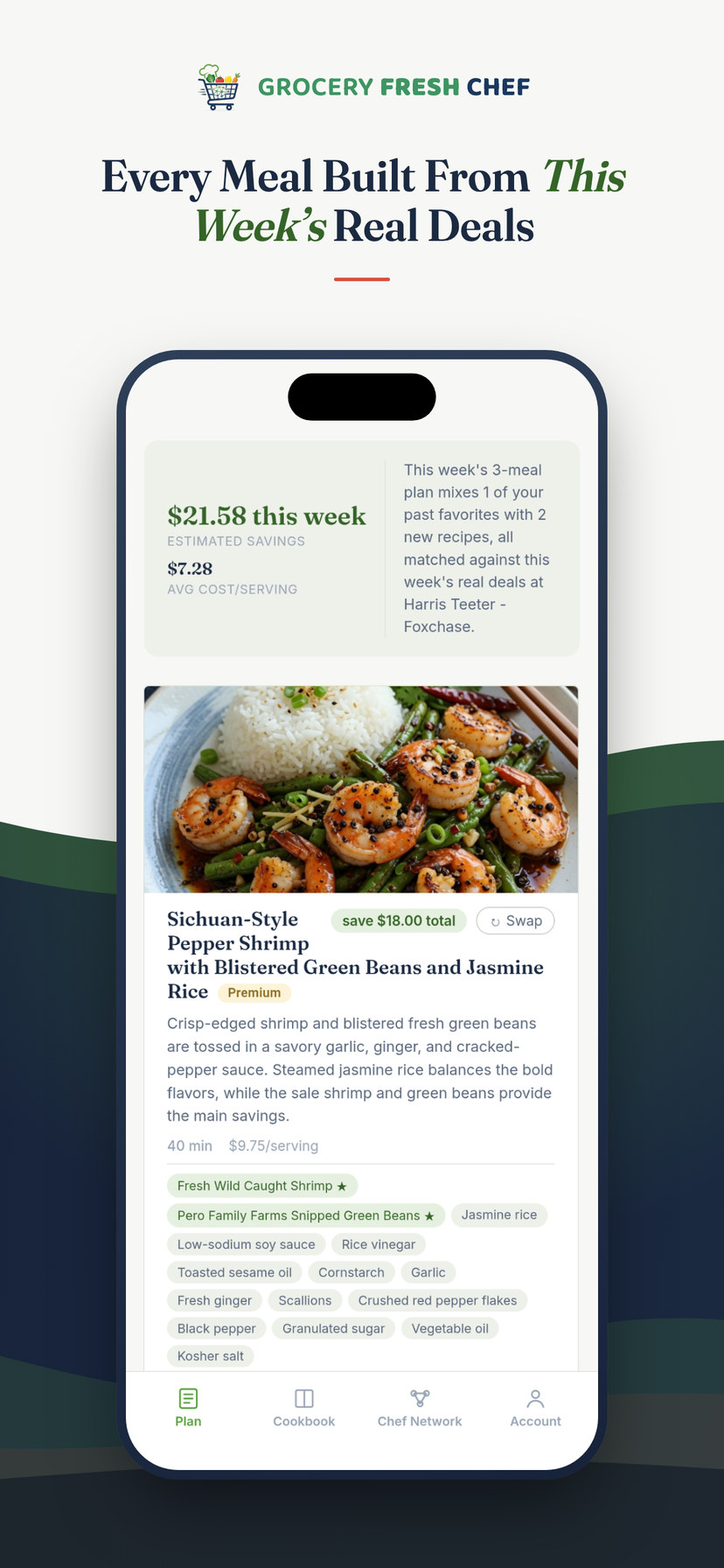
GFC tip: skip the store entirely. One tap sends every ingredient, at this week's sale prices, straight into your Kroger-family cart. Choose 🚚 delivery or curbside pickup at checkout, and the TikTok dinner you saved months ago shows up at your door. Prefer to shop in person? Take the list with you instead.
🍷 Bonus: a wine pairing for any saved recipe
That pasta you saved from TikTok deserves the right bottle. Open any recipe in your Cookbook and tap Grocery Fresh Sommelier for a friendly, no-snobbery pairing: our pick and why it works, two alternatives, a good-value bottle to look for and a step-up for a special night, plus a serving tip.
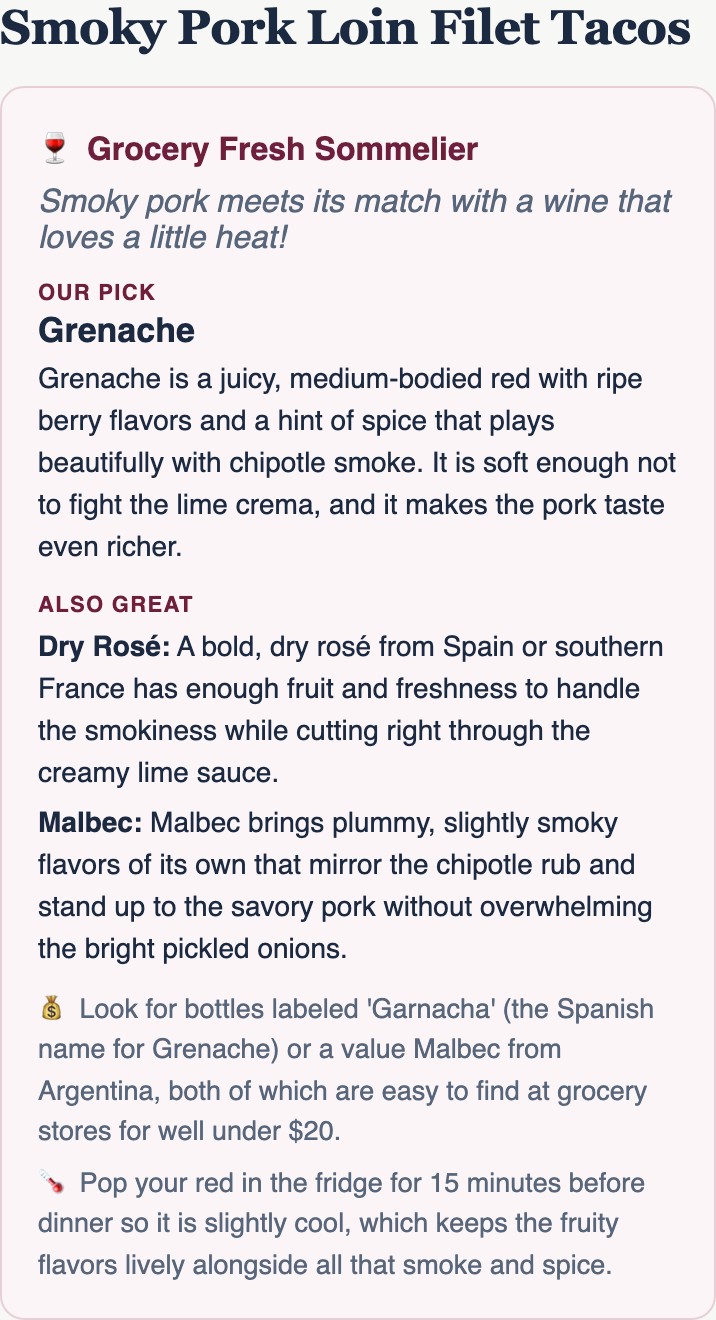
GFC tip: at checkout, the Sommelier can also pick a real bottle for each dinner from your store's own wine shelf, in your price range. It shows up wherever your store sells wine.
💡 Good to know
- 🏪 Which stores? Kroger-family stores: Kroger, Harris Teeter, Ralphs, King Soopers, Fry's, Smith's, QFC, Fred Meyer, Mariano's, Pick 'n Save, Metro Market, Dillons, Gerbes, City Market, Baker's, Food 4 Less and Foods Co. See how it works with your store.
- 📥 How many imports? New accounts can import two recipes to try it out. Subscribers can import up to seven recipes a week.
- 💵 What does it cost? Your first meal plan is free. After that it's $4.99 for a single plan, $8.99 a month, or $99.99 a year. The "What's on sale?" check is part of the subscription.
- 🍷 Wine pairings are for adults 21+. You'll confirm your age once, and you can say no to hide wine everywhere in the app.
- 🤝 Share with friends. You can share any recipe in your Cookbook with friends and family.
Delivery and pickup are offered by your Kroger-family store, at its usual fees, wherever it's available. You'll need a free account with your store to send items to its cart.
Import a favorite, see if it's on sale, and build your first plan free.


More from the blog: The best meal planning apps for saving money on groceries · How to turn the Kroger weekly ad into a week of dinners