Blog · Meal planning
How to turn the Kroger weekly ad into a week of dinners
The weekly ad is full of good prices, but it's a list of random items, not a plan. Chicken thighs are cheap, asparagus is on sale, there's a deal on pasta sauce, and somehow you still end up buying whatever you always buy. Here's a simple way to turn this week's sales into actual dinners, whether you do it by hand or let an app do it for you.
🏷️ First, two things that make the sale prices count
- 💳 Use your loyalty card or account. Many of the best weekly prices at Kroger-family stores only apply to loyalty members. If you don't have one, it's free to sign up on your store's website or app.
- 📍 Check your own store's ad. Prices and deals vary by location, even within the same chain, so plan from the ad for the store you'll actually shop at.
📝 The by-hand method: five steps
🍗 1. Start with the protein on sale
Protein is usually the most expensive part of dinner, so it's where a sale saves the most. Pick two or three proteins from this week's ad (say, chicken thighs, ground turkey and salmon) and build around those.
🥦 2. Pair each one with sale produce
Scan the produce section of the ad for vegetables that go with your proteins. Sale asparagus with the salmon, peppers and onions with the turkey, potatoes with the chicken. You don't need a fancy recipe yet, just a pairing.
GFC tip: this pairing step is exactly what Grocery Fresh Chef automates. It looks at everything on sale at your store and builds complete dinners around the best deals, with recipes and photos.
🥫 3. Shop your pantry before the store
Rice, pasta, spices, olive oil, broth: most dinners only need one or two things you don't already have. Check what's in the cupboard so you only buy what's missing.
🗓️ 4. Plan three or four dinners, not seven
Most households eat leftovers, go out or improvise a couple of nights a week. Planning three or four real dinners is easier to stick to, and it means less food goes to waste.
🧾 5. Write the list by section
Group your list the way you walk the store: produce, meat, then the center aisles, then frozen. It keeps the trip short and keeps you from wandering into impulse buys.
🚀 The faster way: let the weekly ad plan itself
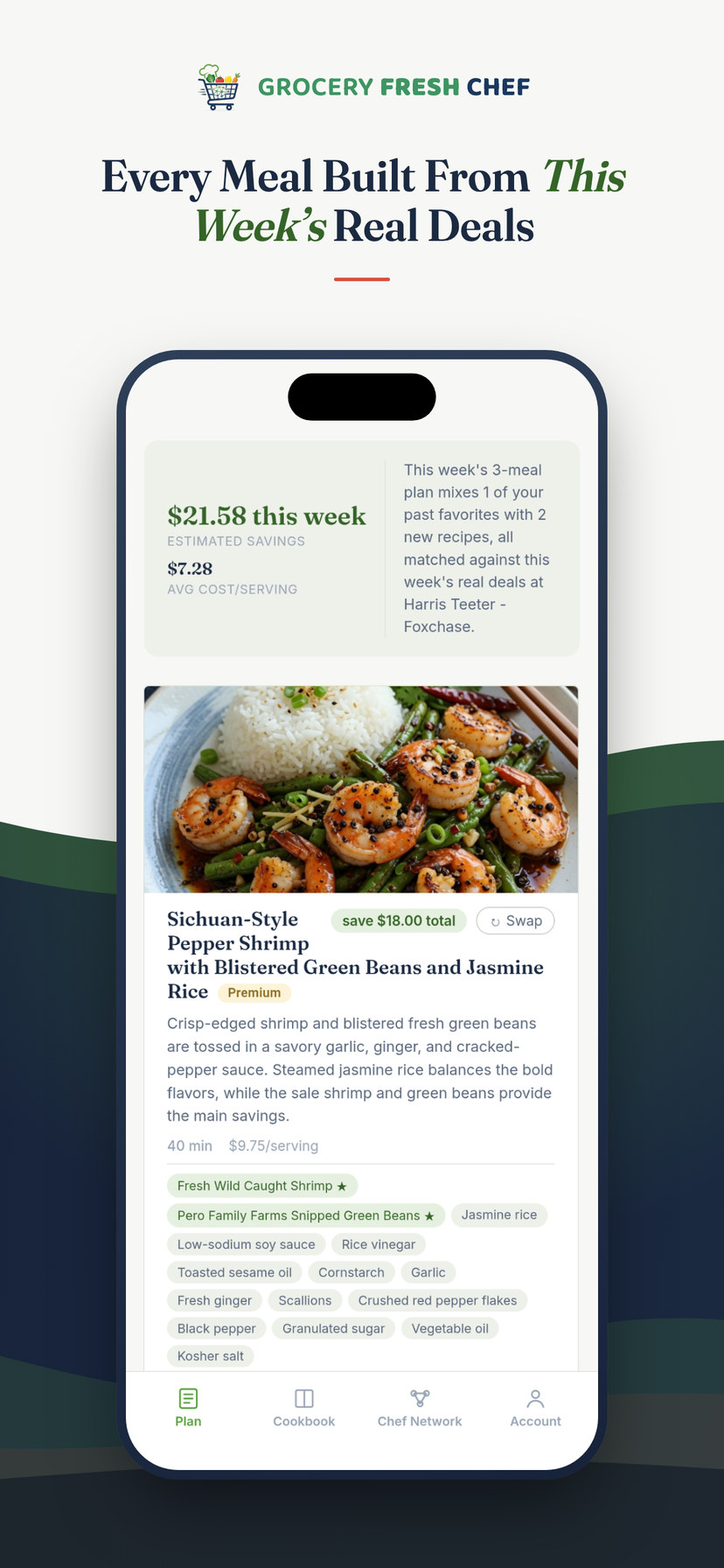
The by-hand method works, but it takes a while every week. That's the problem we built Grocery Fresh Chef to solve. (Full disclosure: this is our app.) It reads this week's real sale prices at your own Kroger-family store and writes dinner recipes around them.
- Enter your zip code and pick your store.
- Tell it about your household: how many people, how many dinners, dietary needs and the cuisines you like. You can even type something you're craving.
- Get a plan built from this week's sales, with full recipes, the estimated savings and the cost per serving. Don't love a meal? Tap Swap for a different one.
- See your grocery list with real prices from your store, grouped by section.
- Send it to your store cart in one tap, or shop on your own with the list on your phone. Nothing goes into a cart until you choose to.
GFC tip: subscribers can preview the week's top deals at their store before building a plan, and tap any deal to make sure it ends up in their dinners.
⏱️ Skip the store: save hours (and $$$) every week
Here's where the real time goes. Even with a good plan, the shopping itself eats an evening: writing the list, driving over, walking every aisle, waiting in line and hauling it all home. Grocery Fresh Chef cuts that out. One tap sends every ingredient in your plan, at this week's sale prices, straight into your Kroger-family cart. At checkout, choose delivery and your groceries come to your door, or pick them up curbside on your way home.
😩 The usual way
- 📰 Flip through the weekly ad
- 🔎 Hunt for recipes that use the sale items
- 📝 Write a list, then forget half of it
- 🚗 Drive to the store and walk every aisle
- ⏳ Wait in line, haul it home
😎 With Grocery Fresh Chef
- ✨ A week of dinners built from this week's sales, in minutes
- 👆 One tap sends every ingredient to your cart
- 🚚 Choose delivery, or curbside pickup
- 🏡 Groceries show up at your door
- 👩🍳 You just cook
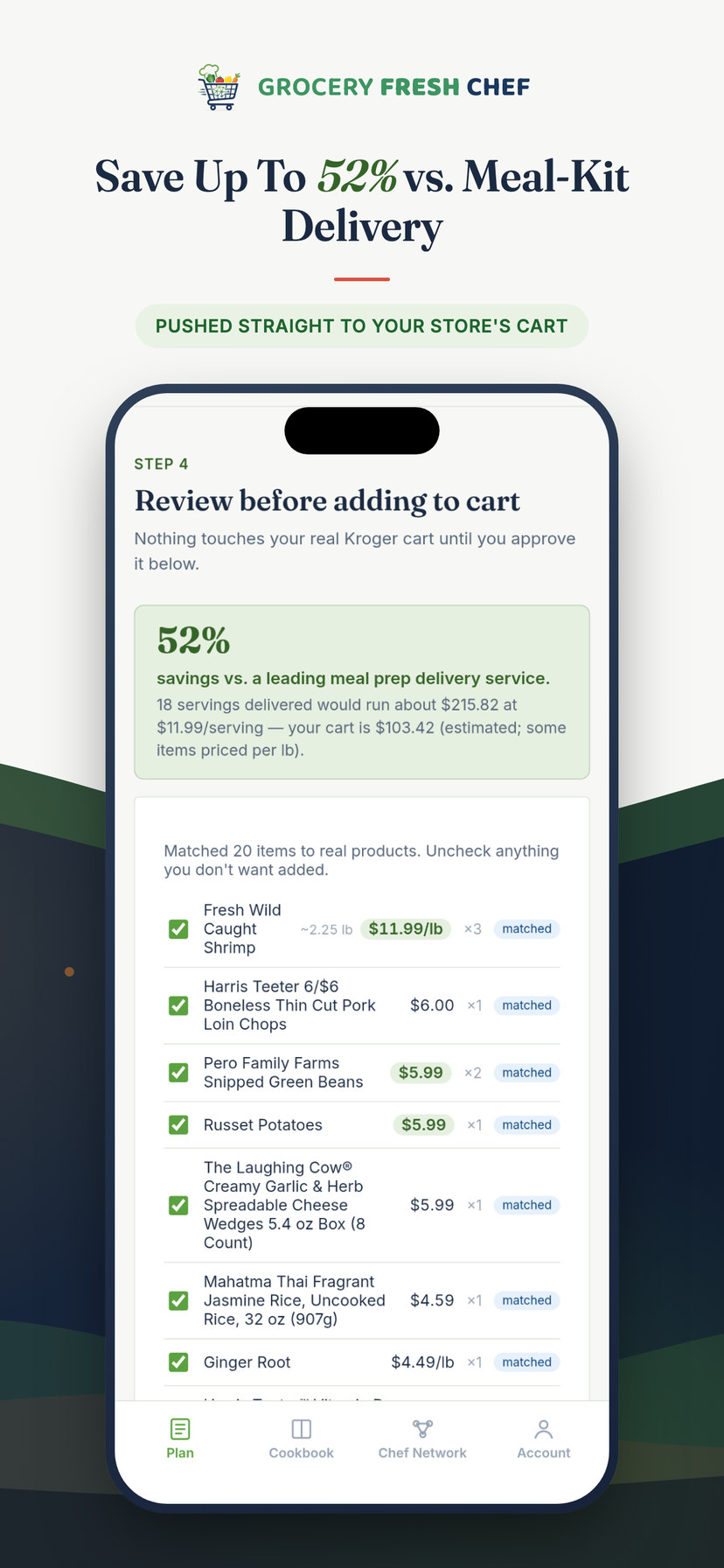
💰 And the $$$: every plan is built around what's on sale, so the savings are baked in before you shop. Each plan shows your estimated savings and how your cart compares to a meal-kit delivery service for the same number of servings, often around half the cost. Shopping online helps, too: no wandering past end-cap displays, no impulse buys at the register.
Delivery and pickup are offered by your Kroger-family store, at its usual fees, wherever it's available. You'll need a free account with your store to send items to its cart.
🍷 New: add a bottle from the same store
Planning around the weekly ad doesn't have to stop at the groceries. When you review your list, the Grocery Fresh Sommelier can pick a wine for each of your dinners, chosen only from bottles on your own store's shelf, at the price your store is charging this week. Slide to what you like to spend per bottle, from $8 to $40 and up, and it favors respected producers over the usual supermarket novelty labels, with sale prices as the tiebreaker.
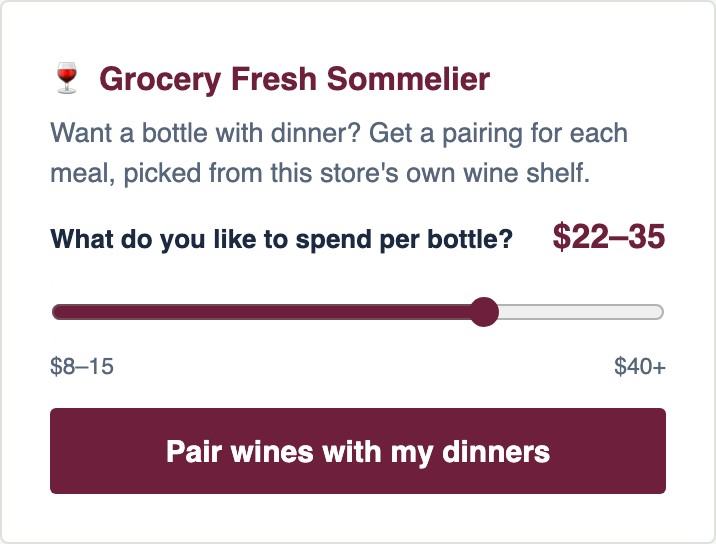
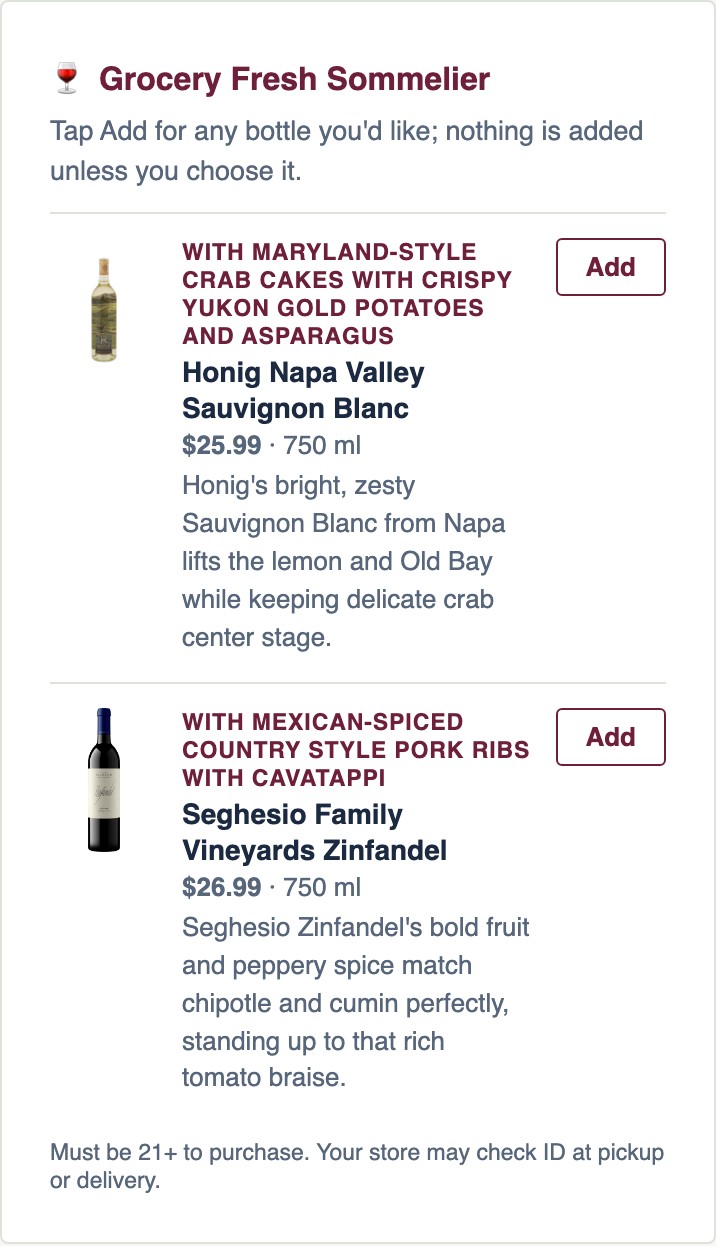
Nothing is added unless you tap Add, and wine is never counted against your meal-kit savings comparison (meal kits don't ship wine, so it wouldn't be fair).
For adults 21 and older. Store wine pairings only appear where state law lets grocery stores sell wine and your store carries it. Your store may check ID at pickup or delivery.
❤️ Don't forget the recipes you already love
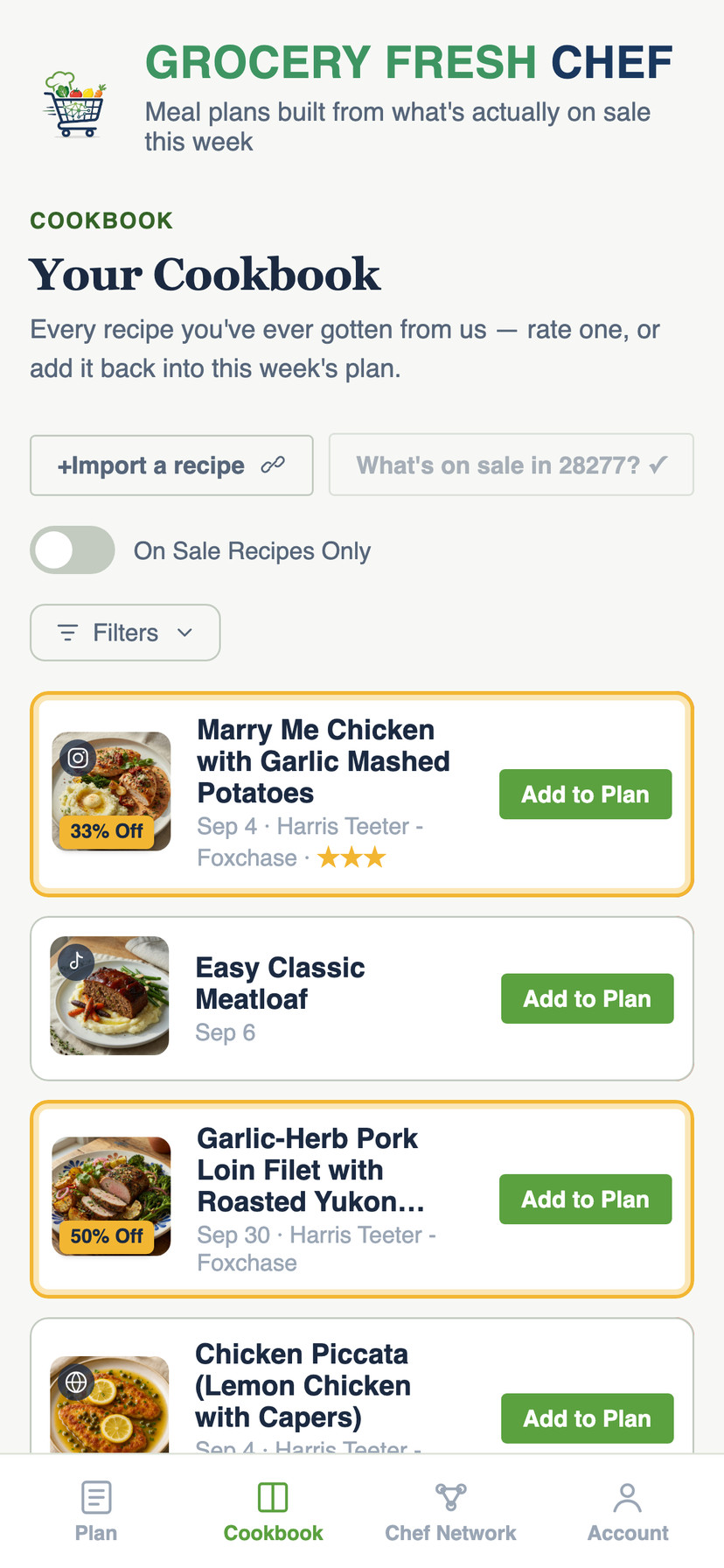
The weekly ad isn't only for new recipes. Grocery Fresh Chef keeps every recipe you've cooked in your Cookbook, and you can import your own, too: paste a link from a website, YouTube or TikTok, or upload a screenshot of an Instagram or Facebook post. Subscribers can then tap "What's on sale?" to see which saved favorites have their main ingredient on sale at their store this week, and add those straight back into the plan.
❓ Questions people ask
Do I need a Kroger account to use it?
No. You only need a store account if you want the ingredients sent to your online cart for delivery or pickup. Otherwise, choose "I'll shop on my own" and take the list with you.
Does it work with Harris Teeter, Ralphs, King Soopers and the others?
Yes. It works with the Kroger-family stores listed above, nearly 2,800 locations across 45 metro areas. See how it works with your store for details.
What does it cost?
Your first meal plan is free. After that it's $4.99 for a single plan, $8.99 a month, or $99.99 a year.
Build your first plan free, then send it to your cart in one tap.


More from the blog: The best meal planning apps for saving money on groceries · Save recipes from TikTok and Instagram, then cook them when they're on sale